Building a Simple Command
To build a command for nsquared agents, create a .NET 10 class library with a class that
implements the IAgentCommand interface. Use the latest stable
nsquared.agents.api NuGet package.
Step-by-Step creating a simple nsquared agent Command
-
Start by creating a new C# class library project named SimpleCommand.
dotnet new classlib --name SimpleCommandThis will create a new folder named SimpleCommand containing C# project named SimpleCommand, and a code file named Class1.cs.
- Rename the file
Class1.cstoCommand.cs -
Rename the class in the code to
Commandnamespace SimpleCommand; public class Command { } -
In the
SimpleCommand.csprojfile set the framework and command file extension:<TargetFramework>net10.0</TargetFramework> <TargetExt>.Command</TargetExt> -
Add the API package:
dotnet add package nsquared.agents.api -
In the
Command.csfile add ausingto import thensquared.agentsnamespaceusing nsquared.agents; -
In the
Command.csfile implement theIAgentCommandinterface in the Command classpublic class Command : IAgentCommand -
Add the required methods to the
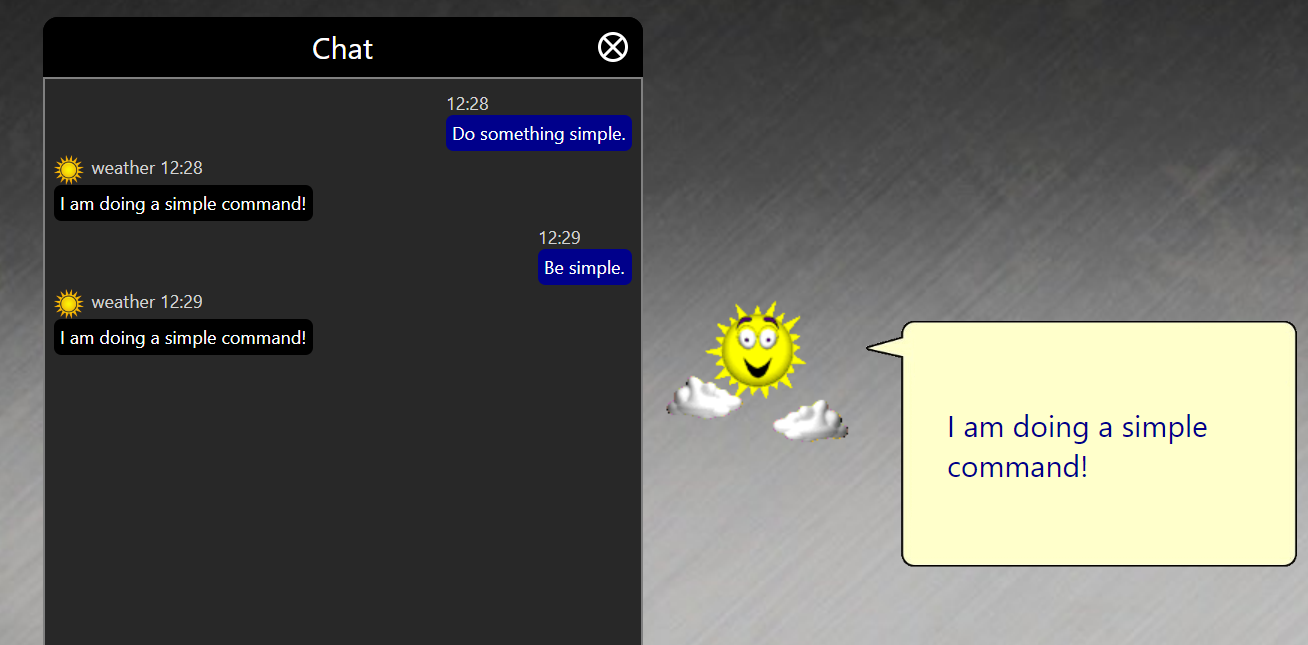
Commandclassusing nsquared.agents; namespace SimpleCommand; public class Command : IAgentCommand { public string Name => "SimpleCommand"; public bool HasSettings => false; public AgentCommandType CommandType => AgentCommandType.KeywordLocal; public Task<string?> Perform(string commandRequest, IAgentAnimations? animations) { if (commandRequest.Contains("simple", StringComparison.CurrentCultureIgnoreCase)) { animations?.Animate("Announce"); return Task.FromResult<string?>("I am doing a simple command!"); } return Task.FromResult<string?>(null); } } -
Build the SimpleCommand project. It produces
SimpleCommand.Commandin the build output folder. This example has no additional dependencies and can be installed as a single file. If your command uses additional NuGet packages, include its assembly and required dependency DLLs in a flat.zipfile with exactly one.Commandfile at the archive root. The running application accepts either the.Commandfile or ZIP from Settings > Manage Commands. -
Run the nsquared agents application and open Settings, and then go to
Manage Commands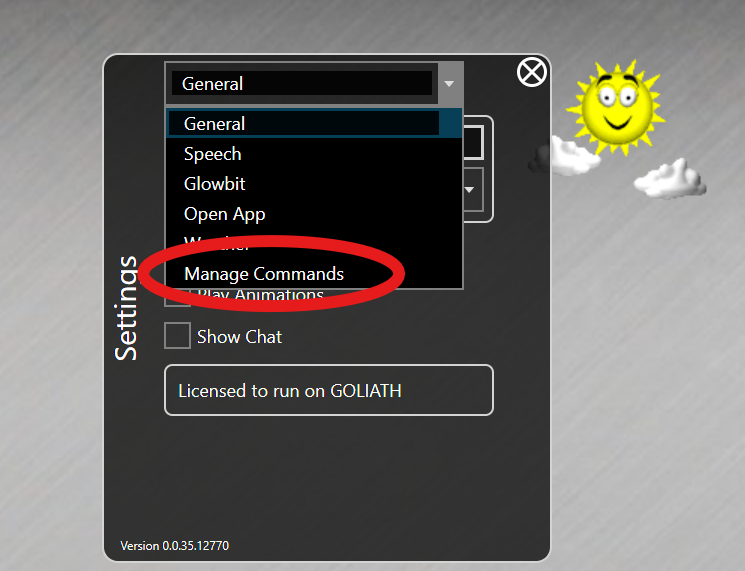
-
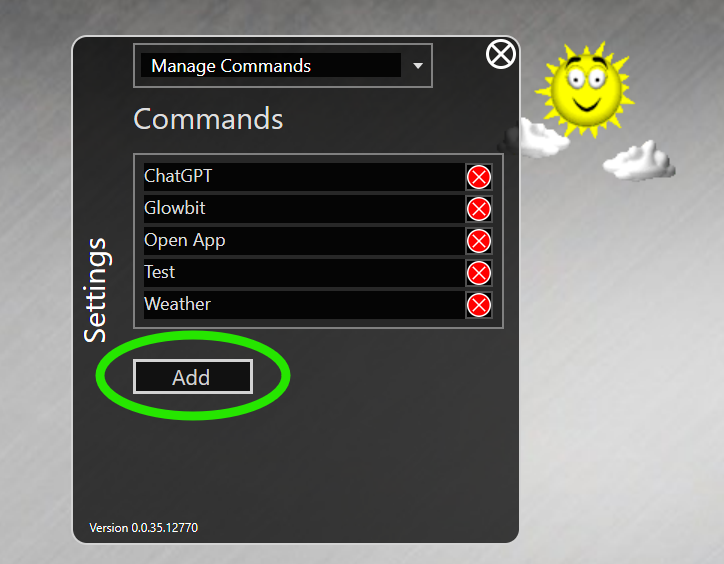
In the Commands select Add
-
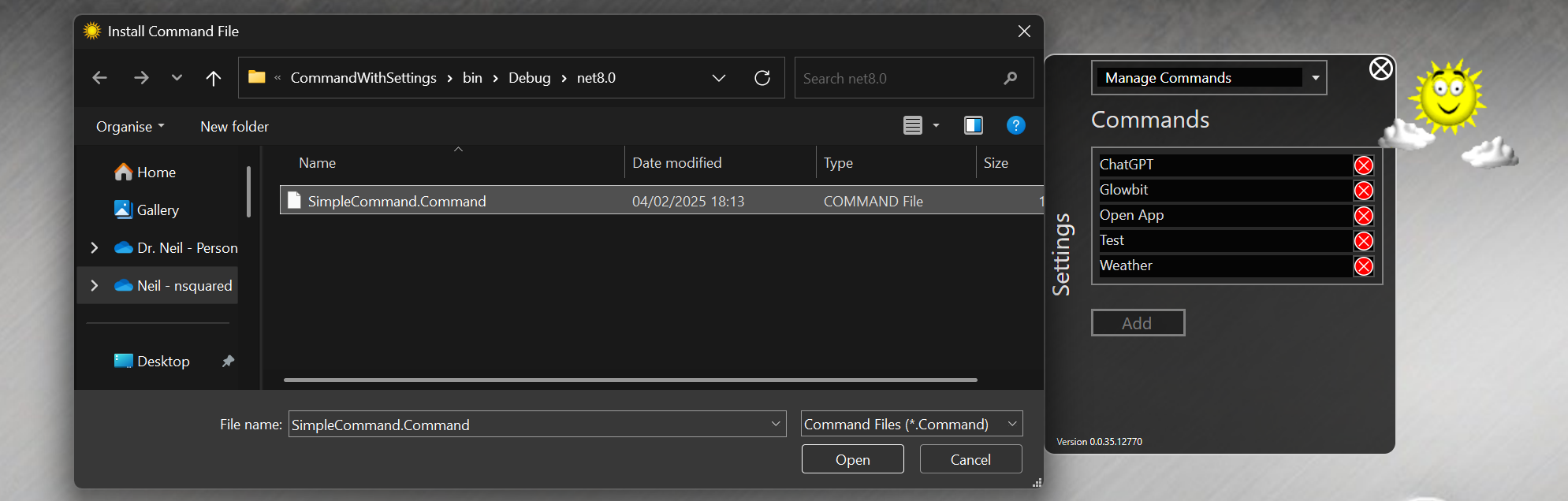
Find the SimpleCommand.Command file you have built.
- Invoke the SimpleCommand by using the keyword
simplein your request